.jpg)
%20(1).webp)
CXO Control Tower – Refreshed UX
- Experience a faster, cleaner, and more intuitive journey with our refreshed Web Browser UX - redesigned for simplicity and speed
CXO Control Tower – Cash-In-Cash-Out (CICO) Report
- Adds a fresh new dimension to Cash Flow management
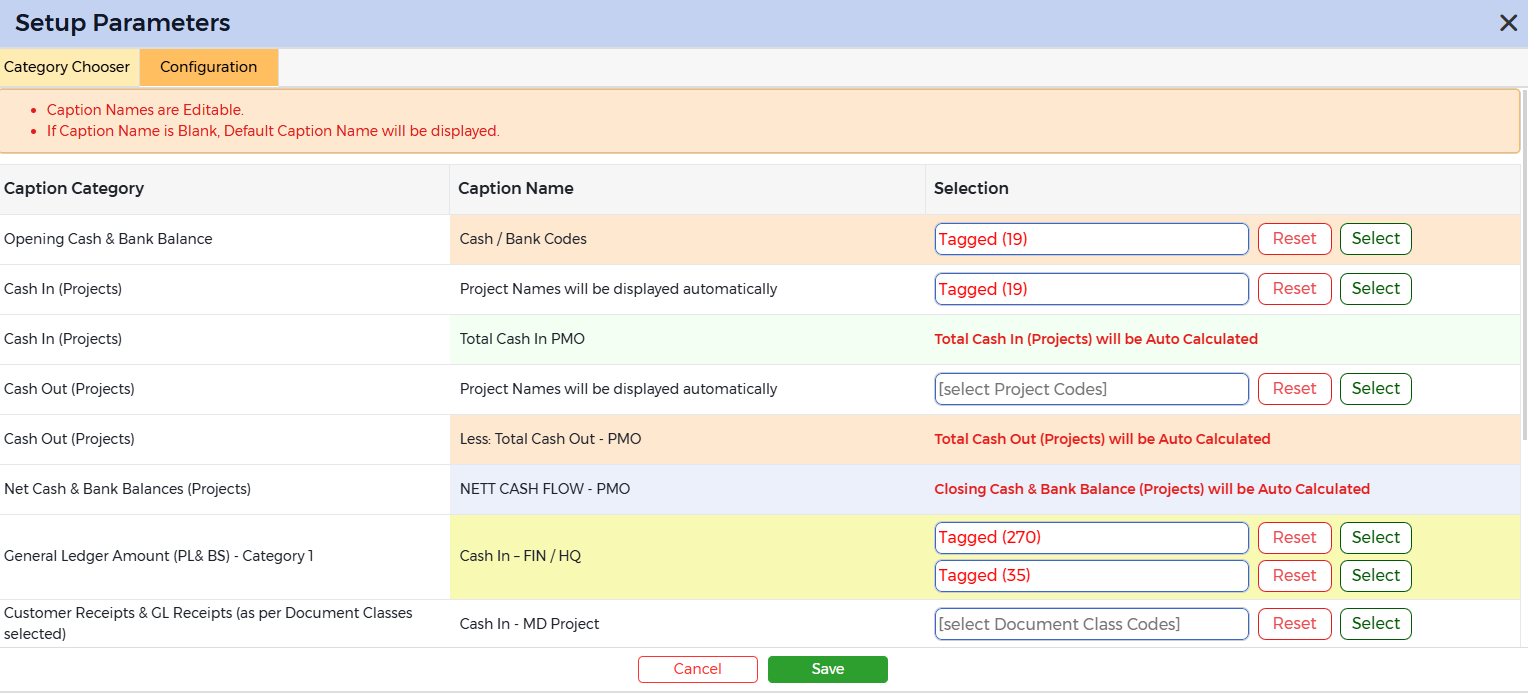
- View Cash In and Cash Out from
- Projects
- General Ledger Codes (P&L and Balance Sheet)
- Document Class Codes
- Generate CICO report in Month to Month format
- Drill Down to Transactions
CXO Control Tower – Data Dump Reports
- Multi Company Lightning Fast Reports released for
- Customer Ageing Data Dump
- Vendor Ageing Data Dump
- Purchase Order Data Dump
- Sale Order Data Dump
- Customer Receipts Register Data Dump
- Customer Payments Register Data Dump
- Vendor Receipts Register Data Dump
- Vendor Payments Register Data Dump
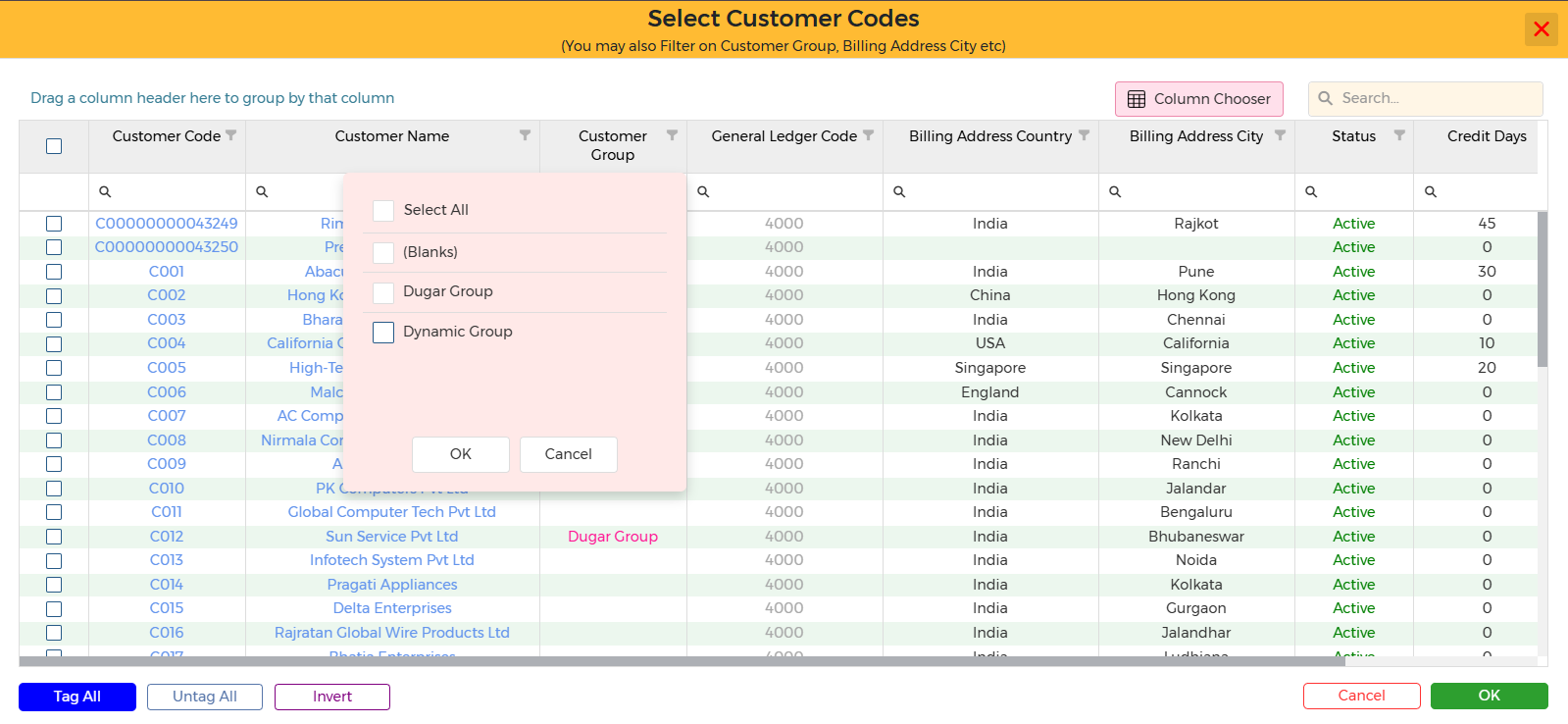
CXO Control Tower – Sales & Sale Invoices
- Generate above Reports Filtered or Grouped on
- Customer Group
CXO Control Tower – Sale Orders
- Generate above Report Filtered or Grouped on
- Customer Group
- Product Group
CXO Control Tower – Purchases & Purchase Invoices
- Generate above Reports Filtered or Grouped on
- Vendor Group
CXO Control Tower – Purchase Orders
- Generate above Report Filtered or Grouped on
- Vendor Group
- Product Group
CXO Control Tower – New Column: Uploaded By (User Name)
- Document Vault: Company Level Attachments & Document Vault Master
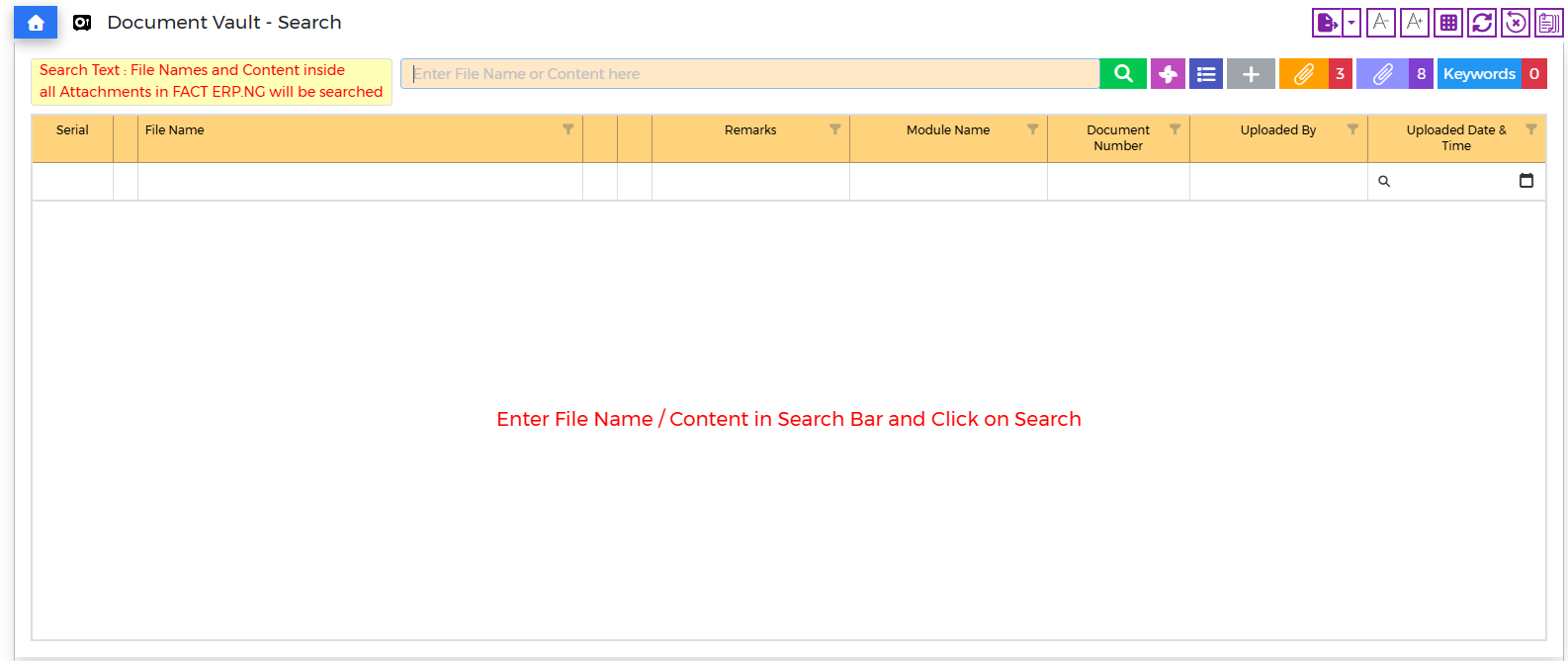
- All Transactions and All Masters
- Easily Trace & Track which staff member uploaded the attachments
CXO Control Tower opens in Microsoft Edge as well
- If Google Chrome Browser is not installed and the default browser is Microsoft Edge, CXO Control Tower automatically opens in Microsoft Edge
CXO Control Tower – Export Reports to XLSX (Excel)
- XLSX Export Option Enhanced for Large Data for
- Sale Data Dump
- Vendor Credit / Debit Note Register
- Outstanding Purchase Invoices
CXO Control Tower – Purchase Invoice Card – Additional Description Window – New Info
- Purchase Invoice Number
- Purchase Invoice Date
- Vendor Code
- Vendor Name
CXO Control Tower – Sale Invoice Card – Additional Description Window – New Info
- Sale Invoice Number
- Sale Invoice Date
- Customer Code
- Customer Name
CXO Control Tower – General Ledger Card (works with Multi - Year Setup)
- Bar Graphs displayed Year Wise & Month Wise
- Mouseover displays Amount and Percentage of YTD Total
- Click on the Bar and Drill Down to transactions
CXO Control Tower – Purchase Invoice Card – New Fields
- Vendor Invoice Number
- Vendor Invoice Date
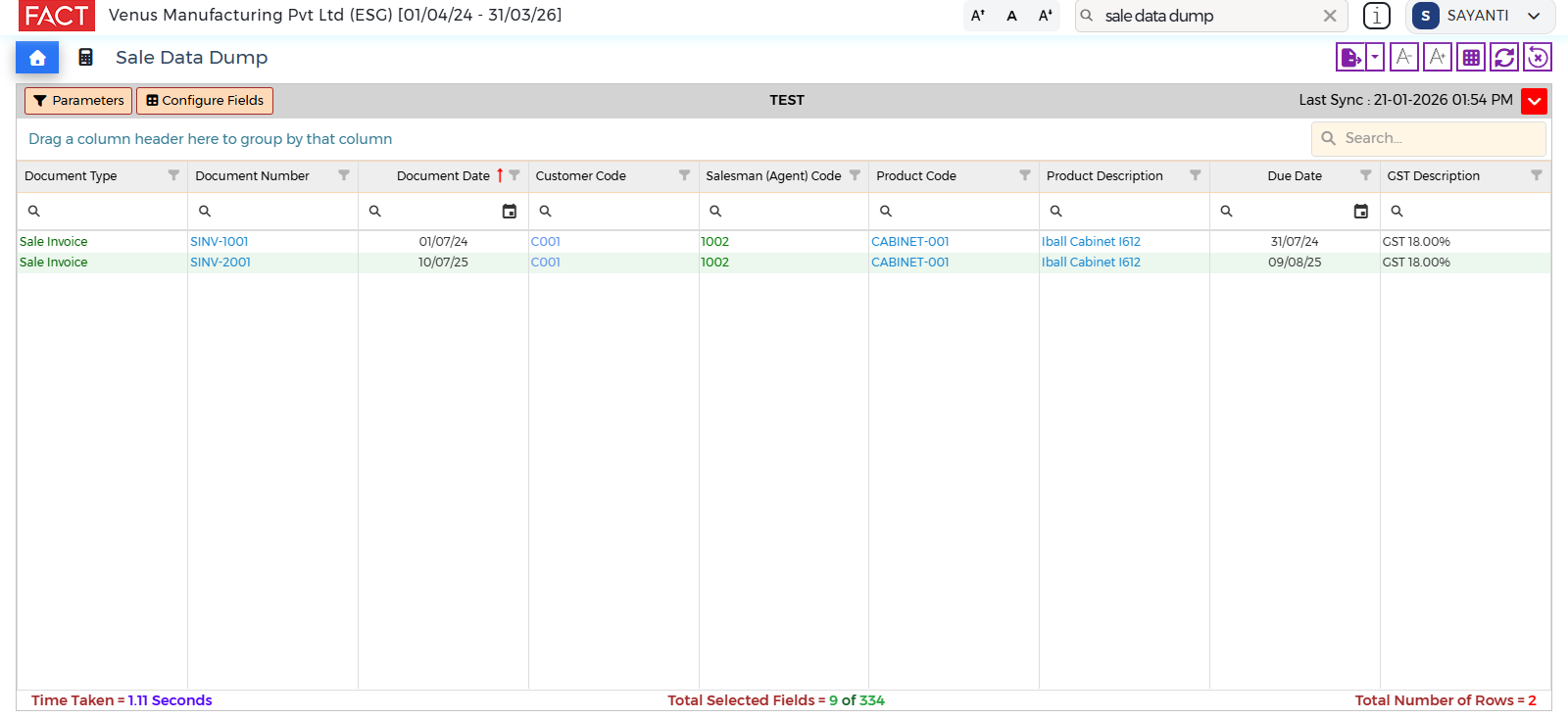
CXO Control Tower – Sales Data Dump – New Columns
- Sale Invoice Due Date
- Tax Description (GST/VAT/SST)
CXO Control Tower – Purchase Data Dump – New Columns
- Purchase Invoice Due Date
- Tax Description (GST/VAT/SST)
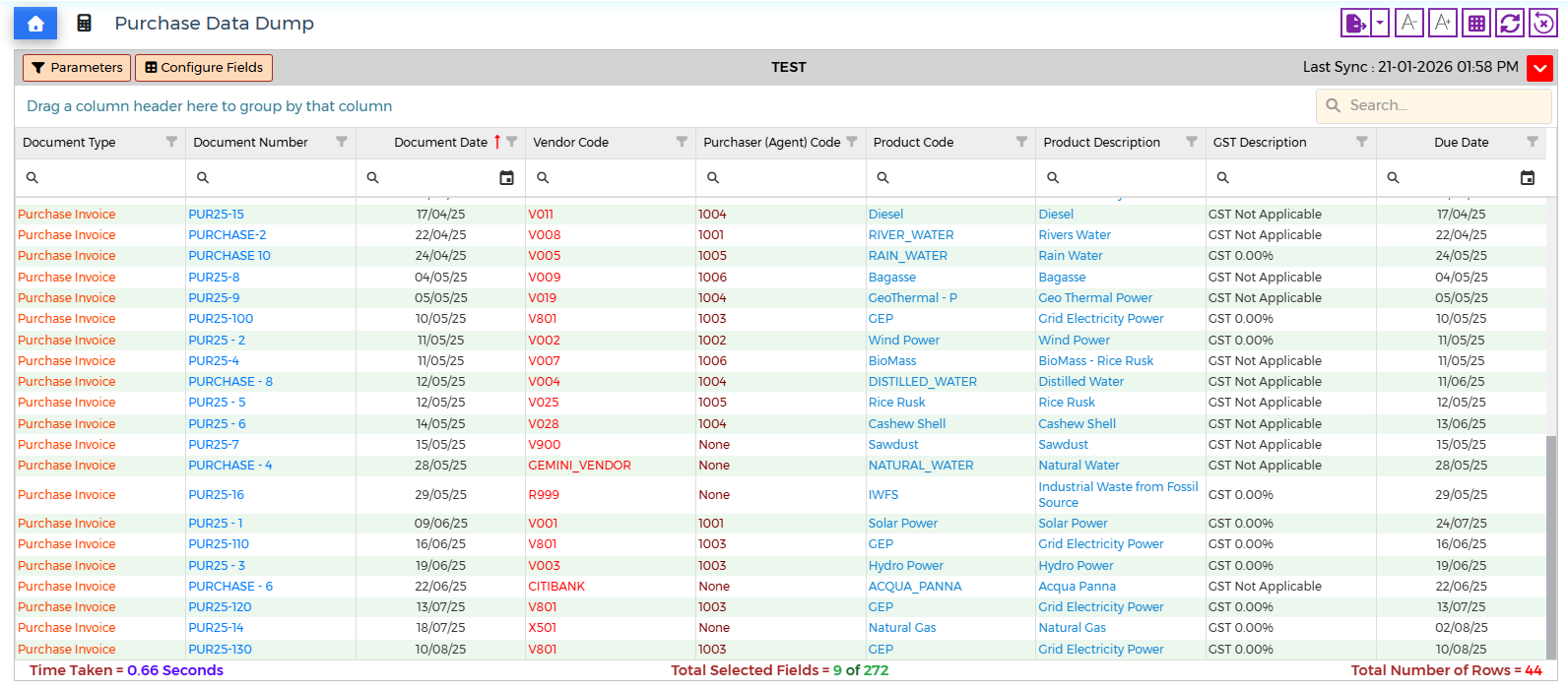
CXO Control Tower – Due Dates – New Fields
- Document Class Code
- Document Class Description
CXO Control Tower – Product Card – Stock In Hand
- New Column = Reserved
- Makes it easier to locate Stock Reservation Quantities and manage Free Stock
CXO Control Tower – New Card
- Opening Unreconciled Vouchers
- Locate Unreconciled Bank Payment Vouchers & Bank Receipt Vouchers (carried forward from previous year) instantly
CXO Control Tower – CRM
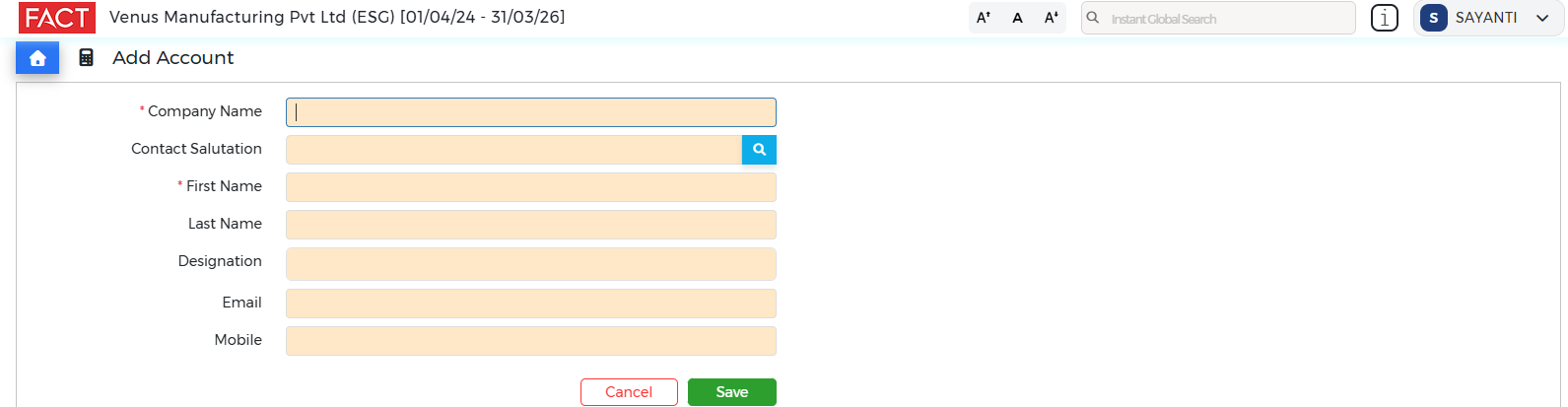
- Increase productivity by adding directly from CXO
- New Contact (example: Name, Designation, Email Address & Mobile Number etc)
CXO Control Tower – Activate Lightning Fast Reports from Company Login
- When User logs into a Company and Lightning Fast Reports is found not to be been activated, User will be prompted to activate it
FACT ERP.NG – Family Wealth Guru – Foreign Currency Equities
- When adding a Foreign Currency Equity (example: AAPL [Apple Computer Inc]), select the relevant Stock Exchange Symbol (example: NASDAQ or NYSE)
- Enter Opening Balance of Foreign Equities in Foreign Currency (example: USD)
- Enter Purchase & Sale Invoice of Foreign Equities in Foreign Currency (example: USD)
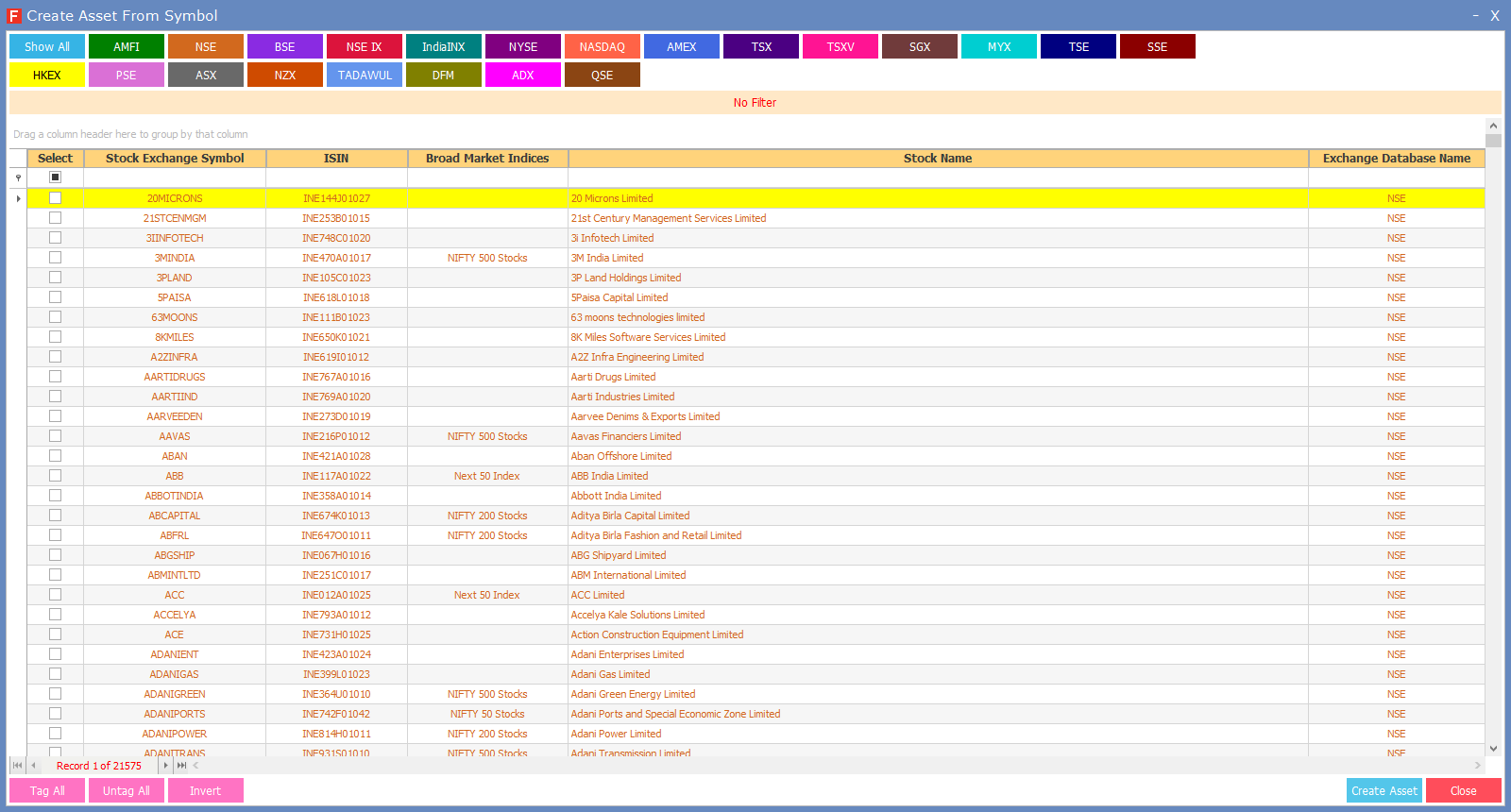
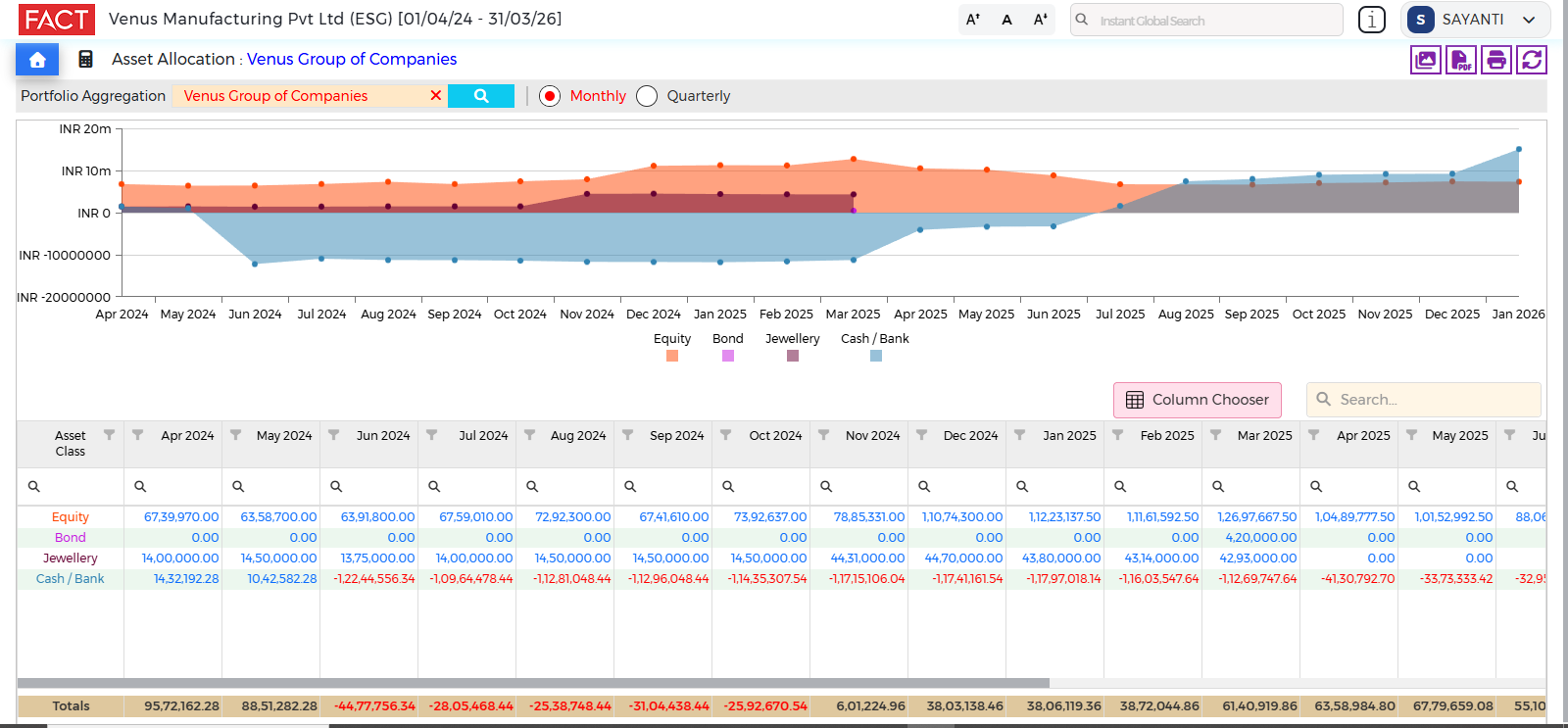
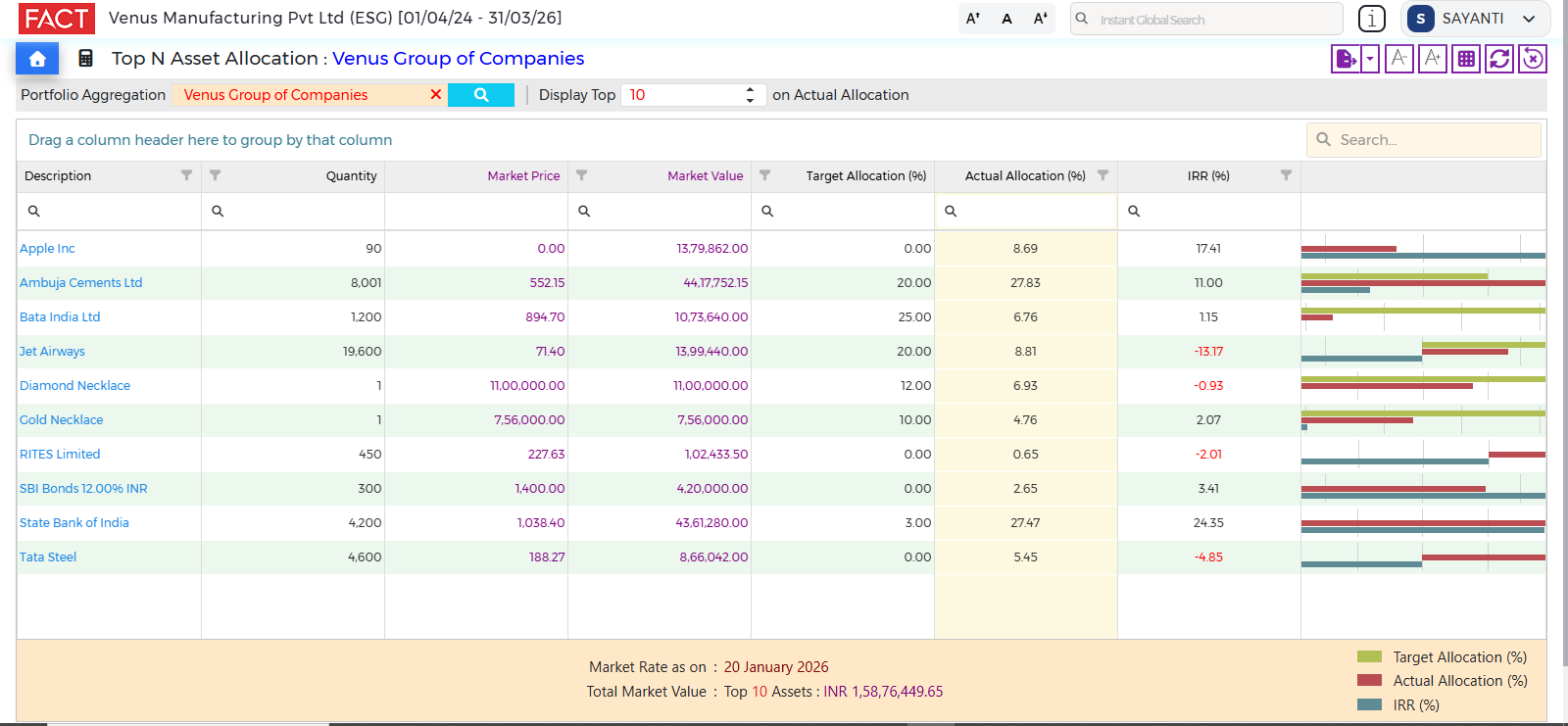
CXO Control Tower – Family Wealth Guru
- All Reports translate the Foreign Currency Amounts (original acquisition amount and market rate) to Home Currency
- Follows the Exchange Rate found in the Currency Rates Master to calculate the Home Currency Amounts
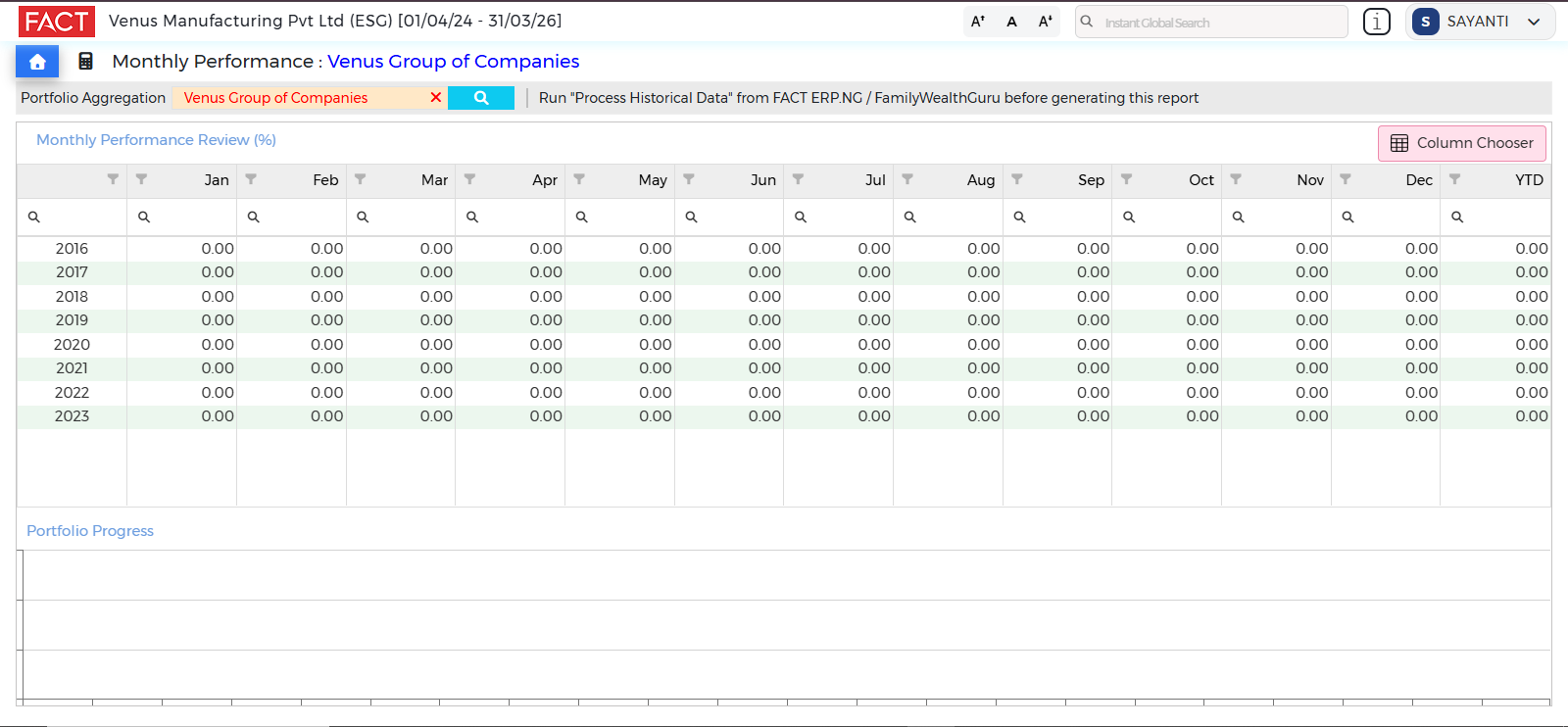
CXO Control Tower – Family Wealth Guru
- Lightning Fast Reports have been activated for
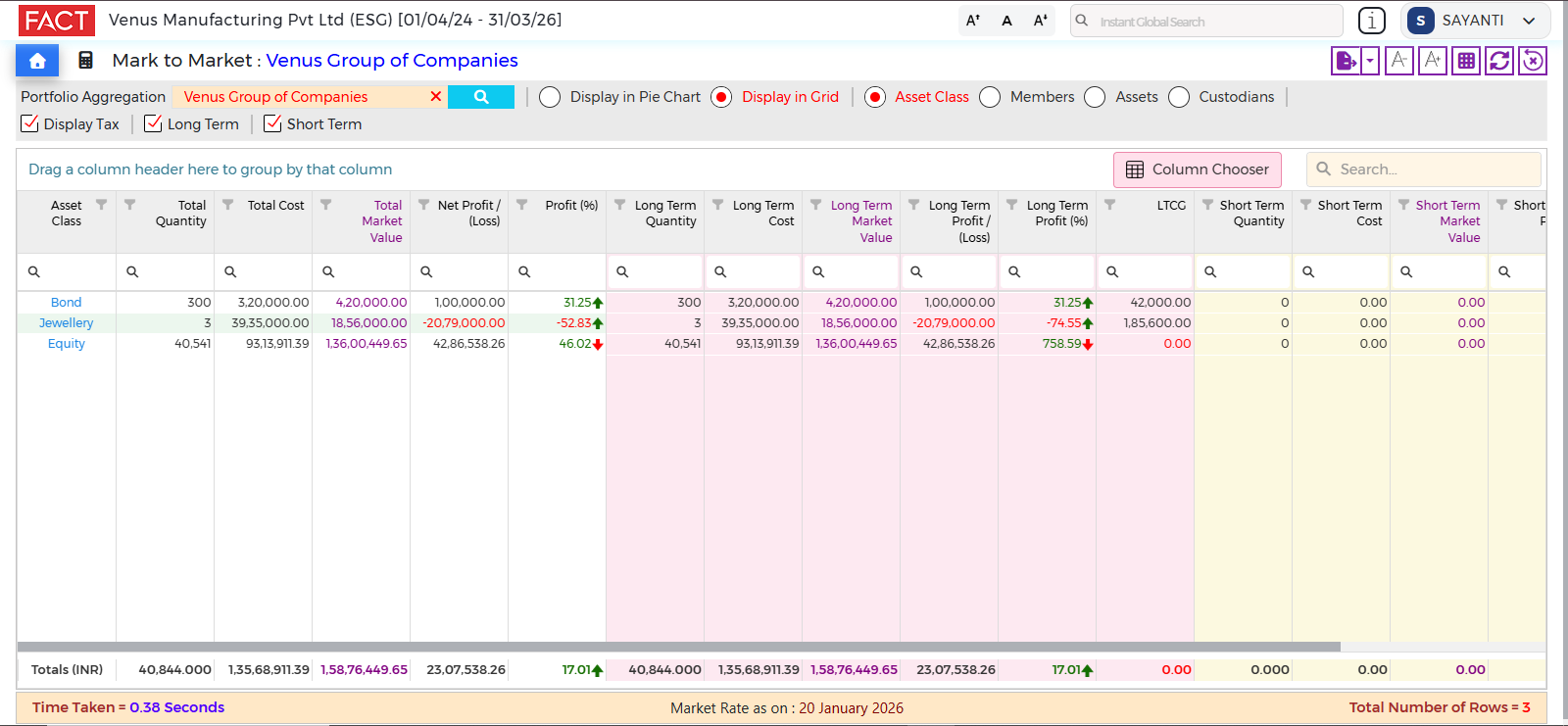
CXO Control Tower – Family Wealth Guru – LTCG / STCG Report
- New Column = Asset Class
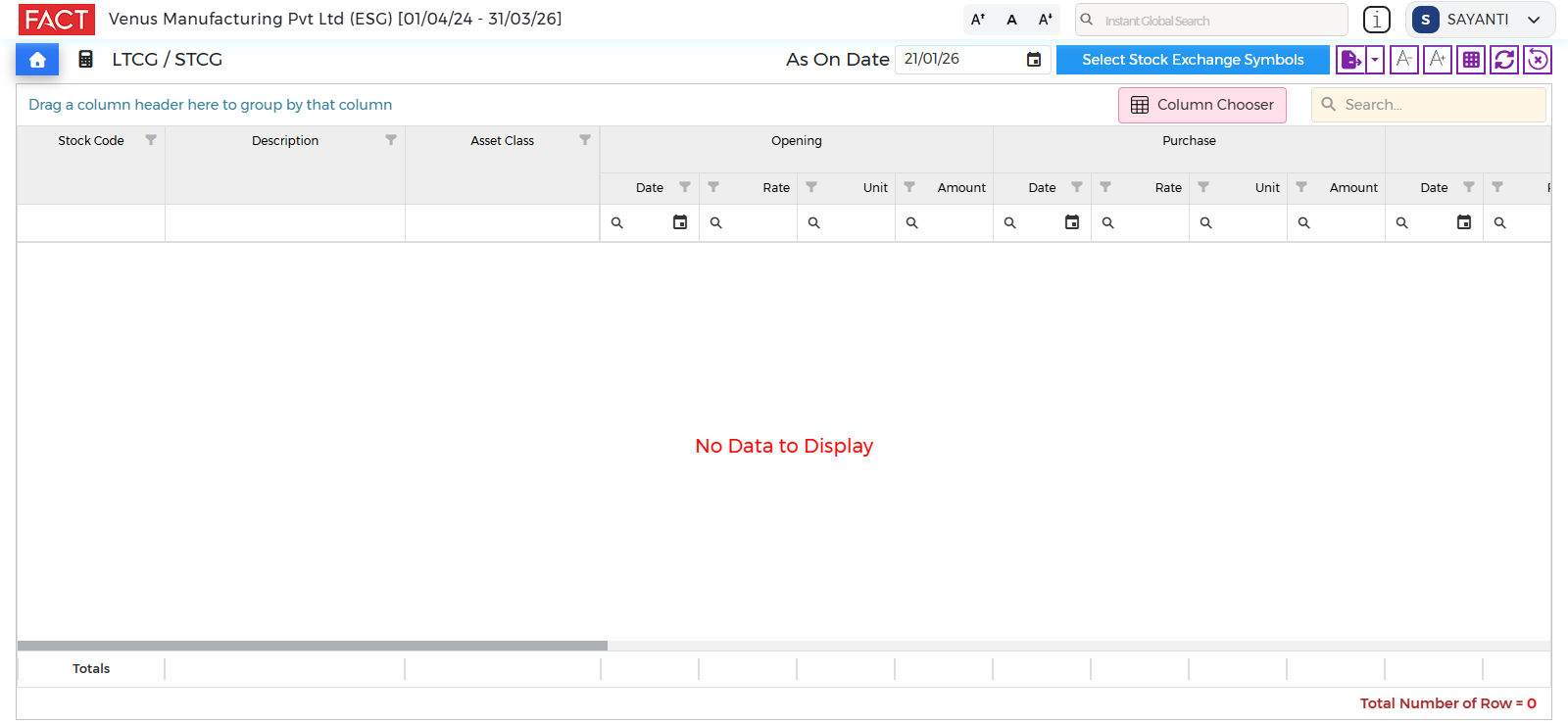
CXO Control Tower – Family Wealth Guru – LTCG / STCG Report
- New Parameters Added
- Stock Exchange Symbols
- As On Date
CXO Control Tower – Employee Self Service Portal (New Fields)
- Contact Details are not displayed
- Mobile Number
- Email Address
- User can locate outdated info immediately and inform HR Department to update records
CXO Control Tower – Employee Self Service Portal
- New Button: Download Payslip in PDF format
FACT ERP.NG – Document Numbering & Master Codes
- New = Scrap / Wastage Voucher
FACT ERP.NG – Proforma Invoice / Quotation
- New Fields Added in Import
- Company Name
- Contact Person Name
FACT ERP.NG – Product Master
- New Fields Added in Import
- Warehouse Wise Inventory Level
- Minimum Level, Maximum Level, Reorder Level and Reorder Quantity
- Warehouse Wise Inventory Level
FACT ERP.NG – Report Writer (Manufacturing - Bill of Materials (BOM) Register)
- New Fields
- Machine Time
- Shop Rate
FACT ERP.NG – Report Writer – New Field
- Stock Rate
- Manufacturing - Issue Register
- Manufacturing - Issue Return Register
- Manufacturing - Finished Goods Register
- Manufacturing - Finished Goods Returned Register
FACT ERP.NG – Utility – Year Ending
- Diagnostics Check is fired automatically
FACT ERP.NG – Server Administrator Email Address is more secure
- 2FA required to modify Server Administrator Email Address
- OTP will be sent to Server Administrator’s Current Email Address (stored in FACT ERP.NG) and must be entered to initiate modification
- A second OTP will be sent to the New Email Address to complete verification and save the New Email Address
- Note: OTP is not required to modify Server Administrator’s Name and Mobile Number
FACT ERP.NG – Data Restoration
- When Backups are restored, following Active Schedulers are deactivated automatically
- Report Scheduler
- Alert Scheduler
- Recurring Scheduler
Malaysia
FACT ERP.NG – SST– 02 Register
(Applicable for Malaysia Only)
- New Fields Added
- 18.c.1
- 18.c.2
- 18.c.3
- 18.d
- 18.e
FACT ERP.NG – Purchase Invoice
(Applicable for Malaysia Only)
- Now possible to modify Purchase Invoice Uploaded via Consolidated Self-Billed Invoice module
FACT ERP.NG – Customer Receipt & Customer Payment (Post Dated Cheque Entry)
- Enter General Ledger Code at Line Level
- Now possible to add adjustments when entering above transaction
India
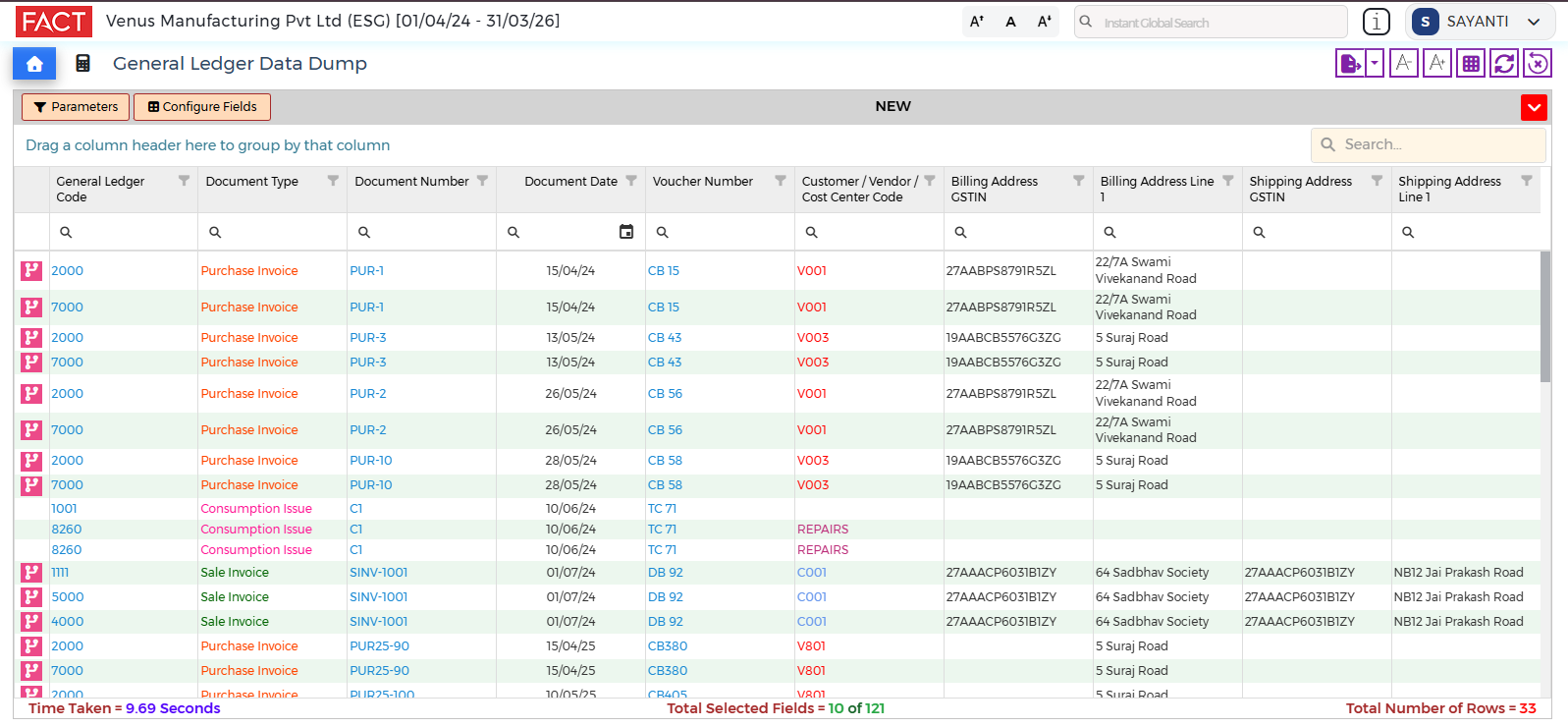
CXO Control Tower – General Ledger Data Dump
(Applicable for India Only)
- New Columns Added
- Billing Address GSTIN
- Shipping Address GSTIN
CXO Control Tower – Sale Data Dump
(Applicable for India Only)
- New Columns Added
- IRN
- IRN Acknowledgement Number
- IRN Acknowledgement Date
- EWB Number
- EWB Date
- EWB Valid Till
- EWB Cancellation Reason
- EWB Cancel Remarks
.png)
FACT ERP.NG – TDS Deposit Challan – New
- Add Attachments
FACT ERP.NG – TDS Certificate – New
- Add Attachments
CXO Control Tower – Employee Master
- Select Dormant Employees in
- Monthly Provident Fund Report
- Monthly ESIC Contribution Report
- Labour Welfare Fund Report
- PF ECR Report
- Monthly Professional Tax Report
- Bank Advice Report
- Leave Statement Report


